Single Name on Flight Tickets: Tips & Guidelines


Booking a ticket may seem simple, but entering your name incorrectly can lead to serious travel issues. This is especially important for passengers with a single name or unusual naming format, as many booking systems require both a first and last name. Understanding the correct way to fill in your name can help ensure a smooth and hassle-free journey.
✈️Rules for Train and Flight Ticket Name Entry
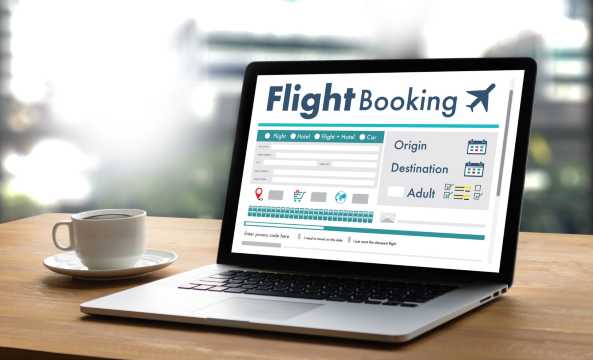
1. Use Your Official Name
- Always enter your name exactly as shown on your passport or ID
- Avoid abbreviations, nicknames, or added names
2. Follow the Required Name Format
- Flight tickets:
- Must separate First Name (Given Name) and Last Name (Surname)
- Train tickets:
- Usually only require Full Name (one field)
3. Handling Single Names (Mononyms)
- Flights:
- Repeat the name (e.g., EVA EVA) or follow system requirements
- Trains:
- Simply enter the name as it is (e.g., EVA)
4. Match with Travel Documents
- International flights: must match passport exactly
- Domestic travel: must match local ID (e.g., MyKad)
- Even small differences can cause issues
5. Capitalization and Characters
- Use standard letters (A – Z)
- Avoid special characters or punctuation
- Capital letters are often recommended
6. Differences in Flexibility
- Airlines:
- Very strict → errors can lead to denied boarding
- Trains:
- More flexible → minor errors may still be accepted
7. Common Errors to Avoid
- Spelling mistakes
- Swapping first and last names
- Leaving required fields blank
- Using symbols unnecessarily
8. Platform and Operator Differences
- Rules may vary by booking platform or provider
- Always check guidelines before booking
9. Final Check Before Payment
- Review spelling carefully
- Ensure format matches your ID/passport
- Confirm all passenger details
10. What Happens If the Name Is Wrong
- Airlines may:
- Reject check-in
- Charge correction fees
- Some tickets may not be changeable

✈️ How to Enter a Single Name for Flight Tickets
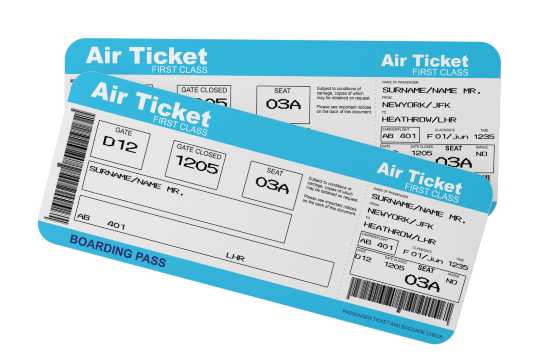
1. Follow Your Official Travel Document
- For flights, your ticket must match your passport exactly (international) or ID (domestic).
- Never use nicknames, abbreviations, or extra words.
- Example:
- Passport name: EVA
- Ticket name: EVA ✅
2. Understand Airline Booking Fields
- Most airlines separate the fields into:
- First Name / Given Name
- Last Name / Surname
- Systems often do not accept empty fields, which is a challenge for single-name passengers.
3. Recommended Ways to Enter a Single Name
Option 1: Repeat Your Name (most common & safe)
- First Name: EVA
- Last Name: EVA
Option 2: Use a Placeholder for First Name (if allowed by airline)
- First Name: - or FNU (First Name Unknown)
- Last Name: EVA
✅ “EVA EVA” is widely accepted by airlines and avoids check-in issues.
4. Capitalization & Characters
- Use standard letters (A – Z) only.
- Capital letters recommended for clarity.
- Avoid punctuation, symbols, or accents unless officially part of your passport.
5. Double-Check Before Booking
- Make sure the ticket exactly matches the passport/ID.
- Minor differences can lead to denied boarding.
- Save or screenshot your booking confirmation.
6. Airline-Specific Notes
- Rules may vary slightly by airline or booking platform.
- Some airlines require contacting customer service for single-name passengers.
- Always check the airline FAQ or support page if unsure.
7. Summary Tips
- Always use your exact official name.
- Repeat your name in both First and Last Name fields if only one name.
- Avoid adding nicknames, extra words, or incorrect spelling.
- Confirm your booking before payment.
🚆 How to Enter a Single Name for Train Tickets
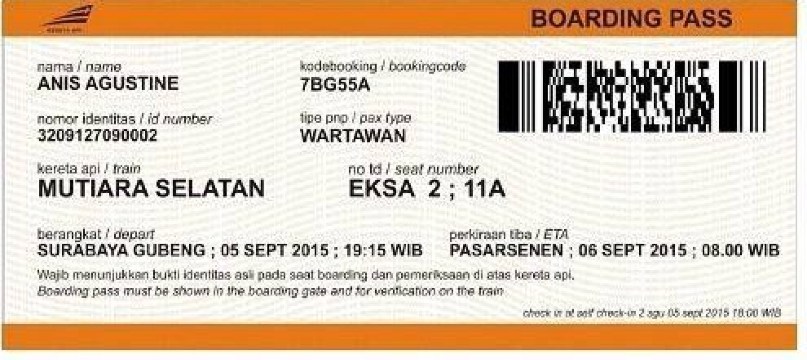
1. Understand the Ticket System
- Most train booking platforms use a Full Name field rather than separate First and Last Name fields.
- This makes it easier for passengers with a single name (mononym).
2. Use Your Official Name
- Always enter your name exactly as it appears on your ID (ID card, driver’s license, or passport).
- Avoid nicknames, abbreviations, or extra words.
- Example:
- ID: SLAMET
- Train ticket: SLAMET ✅
3. Single Name Entry Rules
- Full Name field only: Enter your single name directly.
- If First & Last Name fields are present:
- Some systems allow:
- First Name: - or NA
- Last Name: Your single name
- Example:
- First Name: -
- Last Name: SLAMET ✅
4. Capitalization & Characters
- Use standard letters (A – Z) only.
- Capital letters are recommended for clarity.
- Avoid special characters, punctuation, or accents.
5. Check Before Booking
- Review your entry carefully before submitting.
- Make sure it matches your official ID.
- Take a screenshot of your booking confirmation.
6. Common Issues & Solutions
- System rejects single name: Try using - or NA in the First Name field.
- Minor spelling errors: Train operators are usually flexible, but it’s better to match the ID exactly.
7. Summary Tips
- Use the exact official name.
- Enter in Full Name field, or follow system workaround if separate fields exist.
- Avoid extra words, nicknames, or symbols.
- Double-check before booking.

🚆 Airline vs Train Ticket Name Entry: Detailed Comparison
Aspect | Airlines | Trains |
Reference Document | Passport (international) or ID (domestic) | ID card, driver’s license, or passport |
Name Format | Usually First Name / Given Name and Last Name / Surname separate | Usually Full Name in a single field |
Single Name Handling | Must repeat the name in both fields (e.g., EVA EVA) or follow airline-specific rules | Simply enter the single name as is (e.g., EVA) |
Capitalization | Required or recommended (system may auto-capitalize) | Recommended, but not strict |
Punctuation / Special Characters | Not allowed; only standard letters | Generally not allowed; only standard letters |
Flexibility / Tolerance | Very strict; small differences can prevent boarding | More flexible; minor errors often tolerated |
Matching Requirement | Must match travel document exactly | Ideally matches ID, but minor differences usually accepted |
Correction Process | May require fees or reissue if incorrect | Usually easier to correct; some operators accept minor changes |
Domestic vs International | International flights are stricter due to passport verification | Domestic trains more flexible; international trains follow stricter rules in some countries |
Risk of Denied Boarding | High if names do not match | Lower, but still possible if the name does not match the ID |
🌐 Platform Differences in Ticket Name Entry
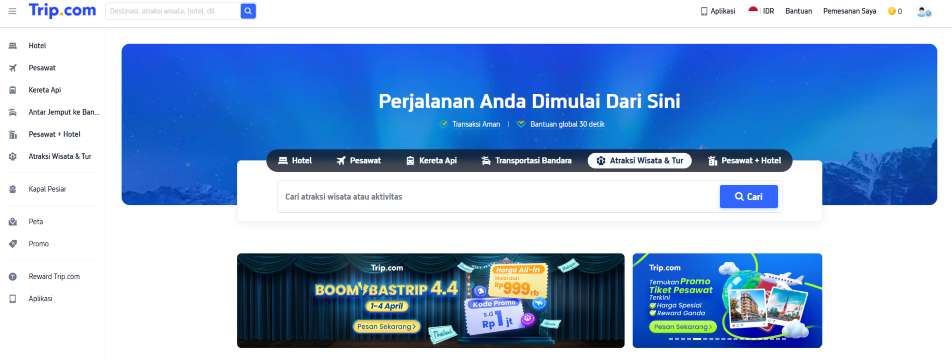
Different booking platforms (airlines, online travel agencies, train operators) may handle single-name passengers differently. Understanding these differences helps avoid errors or denied boarding.
1. Airline Websites
- Usually strict about name matching with passport.
- Require First Name / Last Name fields to be filled.
- Single-name passengers often need to:
- Repeat their name in both fields (e.g., EVA EVA)
- Or use a placeholder in First Name (e.g., - or FNU)
- Examples:
- AirAsia
- Malaysia Airlines
2. Online Travel Agencies (OTAs)
- Platforms like Trip.com, Traveloka, or Expedia:
- May have additional validation rules for names
- Often automatically format single-name entries to match airline requirements
- Can alert you if your single name might cause an error before booking
3. Train Booking Platforms
- Usually more flexible than airline systems
- Most accept Full Name field without splitting into First & Last Name
- Minor spelling differences are often tolerated
- Examples:
- National railway apps in Indonesia, Malaysia, or Thailand
4. Domestic vs International Platforms
Type | Flexibility | Notes |
Domestic airlines / trains | More lenient | May accept single-name as-is |
International airlines | Strict | Name must match passport exactly; single-name workaround may be needed |
5. Tips for Booking Across Platforms
- Always check the platform FAQ or help page for single-name rules.
- Match the exact official name from your travel document.
- If booking through an OTA, confirm if the ticket will match the airline’s requirements.
- For any uncertainty, contact customer service before completing payment.
🧑💼 If Your Name Is Very Short or Unusual
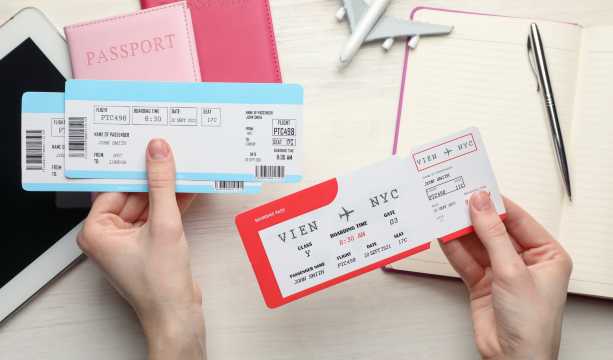
Some passengers have names that are very short (e.g., EVA, BO) or unusual (rare letters, mononyms). Airlines and train systems have ways to handle these cases.
1. Airline Tickets
- Most airlines require both First and Last Name fields to be filled.
- Workarounds for single or unusual names:
- Repeat the name in both fields:
- First Name: EVA
- Last Name: EVA ✅
- Use placeholders if allowed:
- First Name: - or FNU
- Last Name: EVA ✅
- This ensures the system accepts the booking and prevents boarding issues.
2. Train Tickets
- Train systems are usually more flexible.
- Simply enter your full name as it appears on your ID, even if it is one short word.
- Example:
- Name on ID: BO
- Ticket: BO ✅
3. Boarding Pass Display
- Very short names may appear combined with a placeholder or title:
- Example:
- First Name: MR
- Last Name: BO
- Boarding pass shows: MRBO
- Airport staff are familiar with these cases and will verify with your ID.
4. Tips for Short or Unusual Names
- Always use the exact official name from your passport/ID.
- Do not add extra letters or words to make it “normal length.”
- Check with the airline or platform if the system rejects your name.
- Carry your ID/passport during travel; staff will use it for verification.
⚠️ If You Get an Error While Filling the Form

Sometimes booking platforms reject single names or unusual entries due to system rules. Here’s how to handle it:
1. Common Reasons for Errors
- Single name in a system requiring First & Last Name
- Special characters or punctuation not allowed
- Extra spaces or typos
- Name length limits in the system
2. Solutions for Single Names
Option 1: Repeat Your Name
- First Name: EVA
- Last Name: EVA ✅
- Most airlines accept this format internationally
Option 2: Use a Placeholder
- First Name: - or FNU (First Name Unknown)
- Last Name: EVA ✅
- Often accepted if repeating the name is not allowed
Option 3: Check Platform Guidelines
- Online Travel Agencies (OTAs) may have special rules for single-name passengers
- Examples: Trip.com, Traveloka, Expedia
3. Tips for Unusual Names
- Remove symbols, accents, or unusual punctuation
- Avoid adding extra letters to make your name “longer”
- Enter exactly as it appears on your ID or passport
4. Contact Customer Support
- If the system still rejects your name, contact the airline, train operator, or OTA:
- Explain that your name is a single name/mononym
- Ask for the approved workaround
5. Double-Check Before Payment
- Ensure your name entry matches your official ID/passport
- Save a screenshot of your completed form
- Confirm any changes with the airline or platform before booking
⚠️ Risks of Incorrect Names on Tickets
1. Denied Check-In or Boarding
- Airlines and trains verify tickets against an official ID or passport.
- Even minor spelling differences may prevent check-in.
- Example:
- Passport: EVA
- Ticket: EBA ❌ → boarding may be denied
2. Ticket Becomes Invalid
- Some platforms may invalidate the ticket if the name doesn’t match.
- This may require purchasing a new ticket if corrections are not allowed.
3. Fees for Name Corrections
- Airlines may charge fees to fix names.
- Fees vary depending on:
- Airline policy
- Ticket type (some discounted tickets cannot be changed)
- Timing of the correction (closer to departure → higher fees)
4. Delays at the Airport or Station
- Name mismatches often require manual verification by staff.
- Can cause longer check-in times or even missing the train/flight.
5. Risk for International Travel
- International flights are strict about passport compliance.
- Even minor differences can lead to denied boarding, fines, or denied entry in the destination country.
❓ FAQ: Tips for Entering a Single Name When Booking Tickets
-
✈️ Can I book a flight with only one name?
-
🚆 How should I enter a single name for train tickets?
-
⚠️ What happens if my name on the ticket doesn’t match my passport/ID?
-
❌ Can I use nicknames or add extra words to my name?
-
📝 Why does my boarding pass show my name combined?